Creating a relaxing home workspace is essential for maintaining productivity and well-being, especially as more people work remotely. A thoughtfully designed workspace helps reduce stress, improve focus, and encourages a positive mindset throughout the workday. In this post, we’ll explore effective tips for turning your home office into a relaxing and productive environment.
Why a Relaxing Workspace Matters
Before diving into design ideas, it’s important to understand why a calming workspace matters. When your surroundings create a sense of peace and order, it can:
– Reduce anxiety and distractions
– Boost concentration and creativity
– Promote a balanced work-life feel
– Increase overall job satisfaction
Having a dedicated space that feels inviting and organized helps your brain associate the area with productivity and calm, making it easier to focus.
Choose the Right Location
Selecting the best spot for your workspace is the first step. Consider these factors:
– Natural Light: Aim for a space with plenty of natural light. Sunlight helps improve mood and energy levels.
– Quiet Area: Pick a location with minimal noise to reduce distractions.
– Comfortable Space: Ensure the space is large enough for your needs but cozy enough to feel welcoming.
If you don’t have a separate room, consider corners of living areas or bedrooms that can be dedicated to work.
Invest in Comfortable Furniture
Comfort is key to maintaining focus during long hours. Consider these furniture tips:
– Ergonomic Chair: Choose a chair that supports your back and encourages good posture.
– Adjustable Desk: A desk at the right height prevents strain. Consider standing desks or adjustable models.
– Proper Desk Size: Ensure your desk is large enough for your computer, accessories, and workspace essentials without feeling cramped.
Comfortable furniture not only helps avoid physical discomfort but also creates a space you want to spend time in.
Declutter and Organize
Clutter can quickly lead to distraction and stress. Keeping your workspace tidy is vital for relaxation:
– Minimalist Setup: Only keep items you use regularly on your desk.
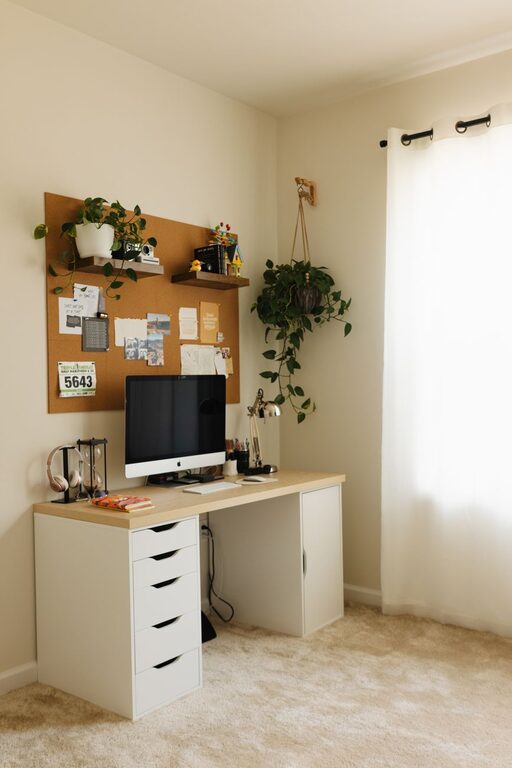
– Storage Solutions: Use shelves, drawers, or filing cabinets to store papers and supplies out of sight.
– Cable Management: Use clips or cable organizers to keep cords neat.
Regularly scheduling time to declutter can help maintain a clean, inviting space.
Use Soothing Colors and Decor
Colors affect mood and productivity. When choosing paint or decor:
– Soft, Neutral Colors: Light blues, greens, or warm neutrals tend to be calming.
– Plants: Adding greenery can reduce stress and increase air quality.
– Personal Touches: Include artwork or items that bring you joy, but avoid clutter.
Balanced decor that reflects your personality while maintaining calmness can enhance your workspace.
Manage Lighting Strategically
Good lighting reduces eye strain and impacts alertness:
– Layered Lighting: Combine overhead lights with task lighting such as desk lamps.
– Adjustable Brightness: Use dimmable lights if possible, to suit different times of day.
– Avoid Glare: Position screens and lamps to minimize reflections.
Natural light remains the best, so consider positioning your desk near a window if possible.
Incorporate Calming Elements
Adding subtle calming elements helps create a peaceful atmosphere:
– Aromatherapy: Use essential oil diffusers with scents like lavender or eucalyptus.
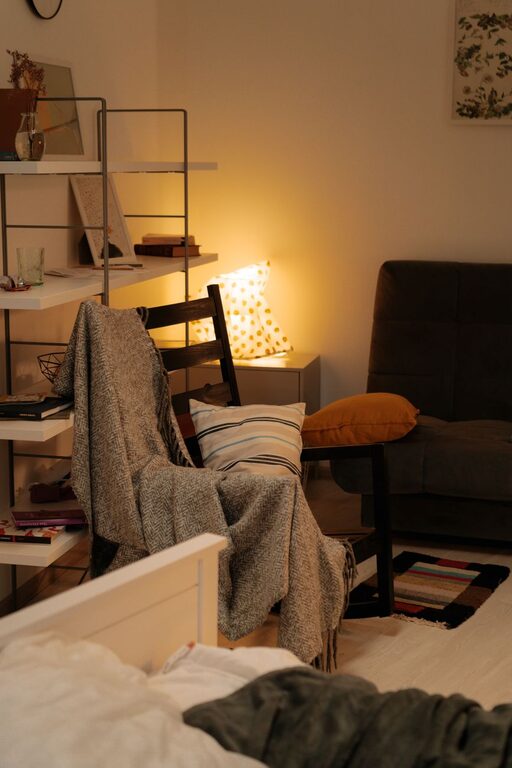
– Soft Textures: Include a comfortable rug or cushions to soften the space.
– Sound: Play soft instrumental or nature sounds if it helps your focus.
These gentle additions can enhance relaxation without distracting from work.
Establish a Routine and Boundaries
A relaxing workspace also comes from how you use it daily:
– Set Work Hours: Define clear start and end times to separate work and personal life.
– Take Breaks: Include short breaks to stretch or step outside.
– Limit Digital Distractions: Use apps or settings to block unnecessary notifications during focused time.
Having routines that respect your space and time helps mentally separate work from downtime.
Optimize Technology Setup
Technology plays a central role in productivity:
– Reliable Equipment: Use devices and tools that function well to avoid frustrating interruptions.
– Cable Management: Keep cords organized to prevent clutter.
– Ergonomic Accessories: Consider a good keyboard, mouse, and monitor height for comfort.
A smooth tech setup contributes to a stress-free workflow.
Keep Essentials Within Reach
Organizing your workspace for convenience reduces frustration:
– Stationery: Place pens, notebooks, and other tools nearby.
– Water and Snacks: Keep a bottle of water and healthy snacks at hand to stay nourished.
– Calendar or Planner: Use physical or digital planners to organize your day.
Having essentials close by keeps your workflow uninterrupted.
—
Final Thoughts
Creating a relaxing home workspace that boosts productivity is about balancing comfort, organization, and personal touches. By choosing the right location, investing in ergonomic furniture, managing clutter and lighting, and setting clear routines, you can develop an environment where you can work efficiently and feel calm. Take time to personalize your workspace as your needs evolve to keep it inspiring and inviting.
With these tips, your home office can become a space where relaxation and productivity go hand in hand.
About the Author