Setting up a productive home office space is essential for anyone working remotely or tackling projects from home. A well-organized workspace helps improve focus, reduce stress, and boost overall efficiency. Whether you have a dedicated room or just a small corner, thoughtful design and organization can transform your work experience. Here are some practical tips to help you create an effective home office environment.
Choose the Right Location
Consider Natural Light
Natural light can improve mood and energy levels, which in turn enhances productivity. Try to set up your desk near a window to benefit from daylight. If that’s not possible, invest in good-quality lighting that mimics natural light.
Find a Quiet Spot
A peaceful, low-traffic area can help minimize distractions. Avoid spaces close to loud appliances or busy areas. If your home is busy or noisy, consider noise-canceling headphones or soundproofing measures.
Design an Efficient Layout
Prioritize Ergonomics
Invest in a comfortable chair and an adjustable desk. Your screen should be at eye level to avoid neck strain, and your chair should support good posture. Ergonomic accessories like a keyboard tray or footrest can make a big difference during long working hours.
Keep Frequently Used Items Within Reach
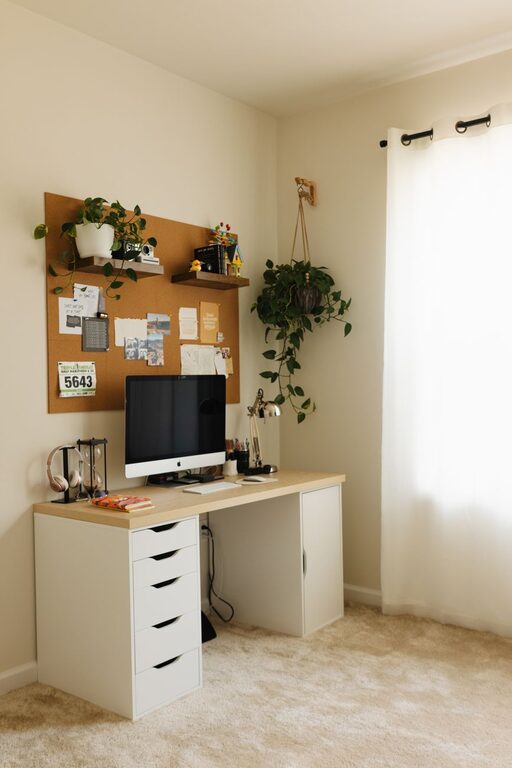
Organize your desk so essential tools like your computer, phone, notepad, and pens are easy to access. This reduces interruptions caused by looking for things and keeps your workflow smooth.
Declutter for Focus
Use Storage Solutions
Drawers, shelves, and desktop organizers can keep papers and supplies neatly stored away. Labeling boxes or folders makes it easier to find documents quickly.
Maintain a Clean Desk Policy
Try to keep your desk free of unnecessary items at the end of each day. A clear workspace encourages a clear mind and helps you start fresh the next morning.
Customize Your Environment
Add Personal Touches
Decorate with items that inspire you, such as plants, artwork, or photos. Plants also improve air quality and add a touch of nature, which can be calming.
Control Temperature and Ventilation
Make sure the room is well-ventilated and at a comfortable temperature. Working in a space that is too hot or too cold can negatively affect concentration.
Utilize Technology Wisely
Choose the Right Equipment
Reliable hardware like a fast computer, quality microphone, and a good webcam can enhance your work, especially if you attend virtual meetings.
Organize Cables
Use cable organizers or clips to keep cords untangled and out of the way. This not only looks neater but reduces hazards and frustration.
Establish Boundaries and Routine
Use Visual Signals
If you share your home with others, consider using a “do not disturb” sign or signals to indicate when you’re in focus mode.
Set Office Hours
Having consistent work hours creates a routine and signals when your workday begins and ends. This helps separate personal time from work time within the same space.
Prioritize Comfort and Health
Take Regular Breaks
Incorporate short breaks to stretch, move, and rest your eyes. Standing desks or adjustable workstations can also allow alternating between sitting and standing.
Stay Hydrated and Nourished
Keep a water bottle nearby and plan healthy snacks to maintain energy levels throughout the day.
Final Thoughts
Creating a productive home office space is a balance between functionality and comfort. By choosing the right location, organizing for efficiency, and personalizing your environment, you can make working from home both enjoyable and effective. Small, thoughtful changes can lead to significant improvements in your work habits and overall satisfaction with your workspace. Start with one or two tips and build your perfect home office over time.
About the Author